Step 1: Download MetaMask wallet
The first thing to do is to go to https://metamask.io/ and click on “Download”.
Choose your preferred browser or mobile application and install the MetaMask extension.
The MetaMask wallet is compatible with native iOS and Android apps, as well as Chrome, Firefox, Brave and Edge browser extensions.
If the process seems too complex, you can always consult a cryptocurrency manager.
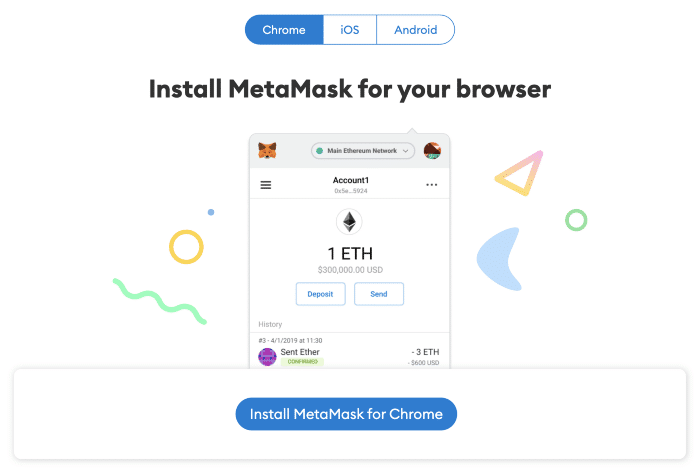

Step 2: Installing the MetaMask wallet
Click on the MetaMask extension and click on “Get Started”.
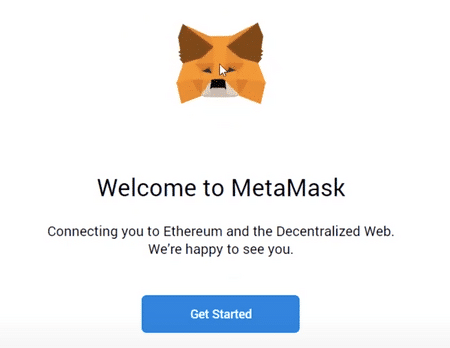
You can import an existing wallet using the start phrase or create a new one.
Step 3: How to create a new MetaMask portfolio
Click “Create a portfolio” and in the next window click “I agree” if you want to help improve MetaMask or click “No thanks” to continue.
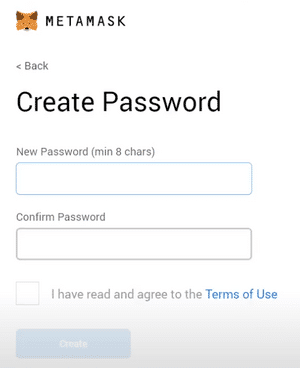
Step 4: Create a secure password for your wallet.
Step 5: Securely store the recovery phrase for your purse
Click on “Click here to reveal the secret words” to display the phrase.
MetaMask requires you to store your phrase in a safe place.
It is the only way to recover your funds in case your device crashes or your browser restarts.
We recommend that you write it down. The most common method is to write your 12-word phrase on a piece of paper and keep it in a safe place that only you have access to.
Note: if you lose your phrase, MetaMask will not be able to help you recover your wallet and your funds will be lost forever.
Never share your passphrase or private key with anyone or anywhere, unless you want them to have full control of your funds.
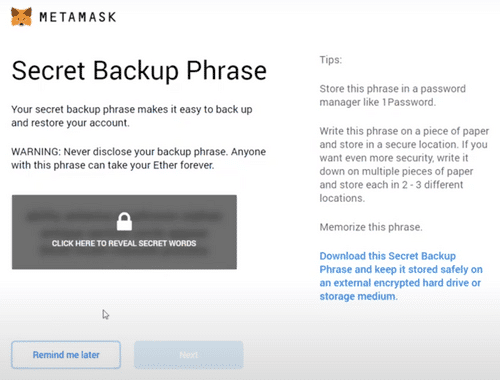
Click “Next”.
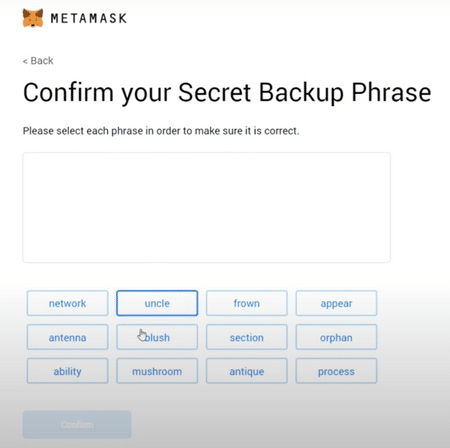
Step 6: Confirmation of the secret phrase
Confirm your secret recovery phrase by clicking on each word in the order in which the words were presented on the previous screen.
Click on “Confirm” to continue.
Congratulations! Your MetaMask wallet has been successfully configured.
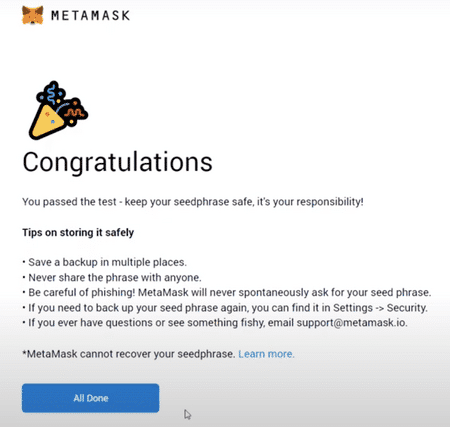
You can now access your wallet by clicking on the MetaMask icon in the upper right corner of your favorite browser.